
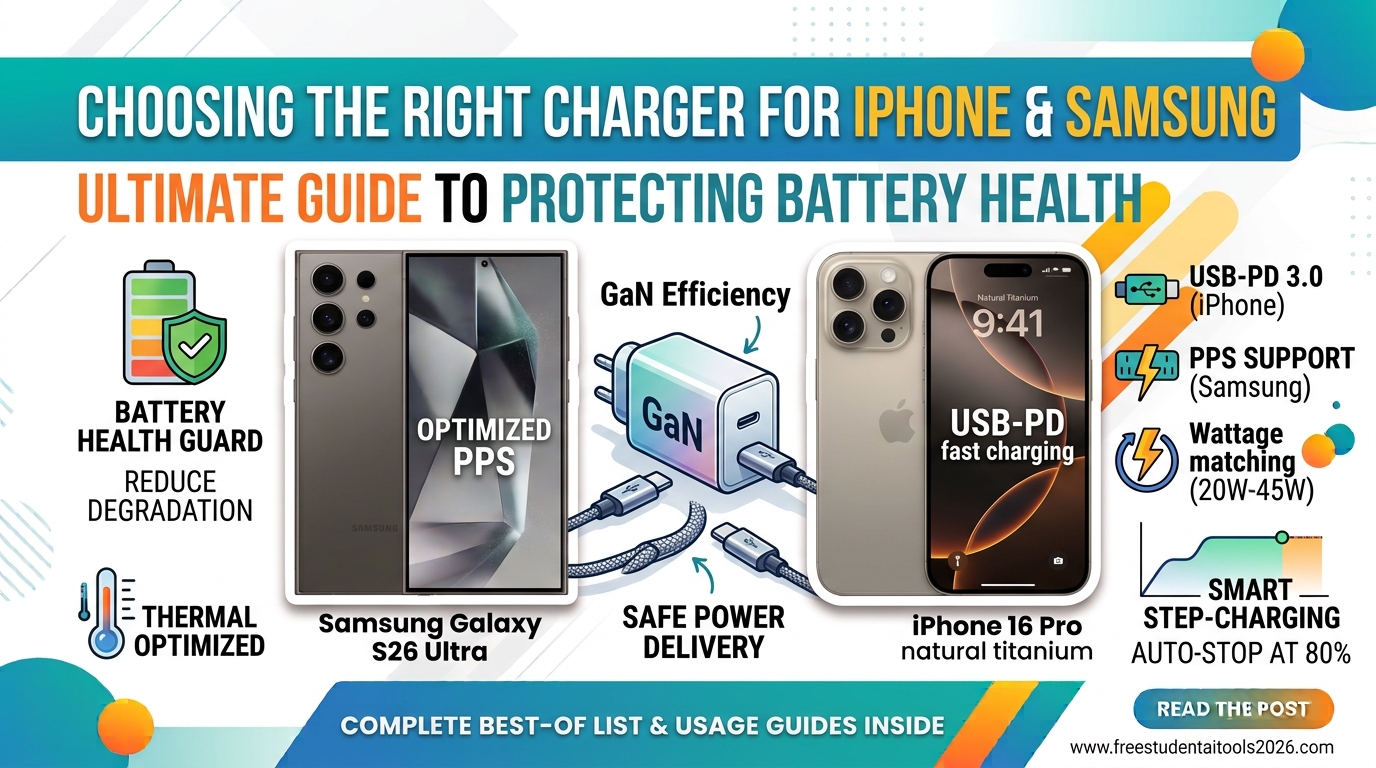
Buying a modern flagship smartphone like an iPhone or a Samsung Galaxy comes with one immediate surprise: there is no wall charger in the box.
While this shift reduces electronic waste, it leaves millions of users with a confusing choice. Should you grab a cheap 20W brick from an impulse display, reuse a 5W power adapter from 2018, or buy a high-wattage 65W laptop charger?
Choosing the wrong charger can lead to excessive thermal throttling, slower charging speeds, or accelerated lithium-ion degradation. Here is your comprehensive guide to selecting the perfect charger for iPhone and Samsung devices while keeping your battery healthy for years.
1. Understand Key Protocols: USB-PD vs. PPS
Not all fast charging is created equal. Modern iPhones and Samsung phones rely on open-standard power protocols to regulate voltage and current safely.
USB Power Delivery (USB-PD) for iPhone
Apple uses USB Power Delivery (USB-PD) across its entire lineup. USB-PD dynamically negotiates output between the wall adapter and the phone to deliver optimum power safely.
-
Minimum Requirement: USB-PD fast charging requires a 20W to 30W USB-C charger.
-
Compatibility: Works on iPhone 8 up to the latest iPhone models.
Programmable Power Supply (PPS) for Samsung
Samsung uses an advanced subset of USB-PD called PPS (Programmable Power Supply). PPS allows the charger to make micro-adjustments to voltage and current every 10 seconds based on the phone’s temperature and charge level.
-
Standard Fast Charging: Requires a 25W USB-PD 3.0 (PPS) charger.
-
Super Fast Charging 2.0: Requires a 45W USB-PD 3.0 (PPS) charger paired with a 5A-rated USB-C cable.
⚠️ Key Takeaway: If you plug a Samsung Galaxy into a standard 45W charger without PPS support, the phone will default to slow 15W charging to protect itself from heat.
2. Match the Wattage (Without Worrying About Overcharging)
A common myth is that plugging a 20W iPhone into a 65W MacBook charger will “fry” the battery.
Smartphones control how much power they draw—not the charger. A 65W GaN (Gallium Nitride) wall charger will safely deliver only the maximum wattage your iPhone or Samsung model requests.
Recommended Wattage Matrix:
| Device | Supported Fast Charging | Recommended Charger Standard |
| iPhone (Standard / Pro) | 20W – 30W | 30W USB-PD Charger |
| iPhone Pro Max | 27W – 35W | 35W+ USB-PD Charger |
| Samsung Galaxy (Base & FE) | 25W | 25W USB-PD 3.0 with PPS |
| Samsung Galaxy (Plus & Ultra) | 45W | 45W USB-PD 3.0 with PPS (5A cable required) |
3. The Role of Heat in Battery Health
Lithium-ion batteries chemically degrade due to two main enemies: extreme heat and voltage stress. High temperatures cause internal resistance to build up, shortening maximum battery capacity over time.
How Proper Chargers Reduce Heat:
-
GaN (Gallium Nitride) Technology: Modern GaN chargers operate far more efficiently than older silicon-based chargers, generating significantly less waste heat at high outputs.
-
Stepped Charging Curves: Certified chargers deliver full power from 0% to 50%, then automatically ramp down power as the battery reaches 80% to avoid overheating the cell.
4. Software Rules to Extend Battery Longevity
Matching the hardware charger is only half the battle. Both Apple and Samsung provide built-in battery preservation tools inside their OS settings:
iPhone Battery Health Settings:
-
80% Charge Limit: Available on iPhone 15 and newer models under
Settings > Battery > Charging. This prevents the chemical degradation associated with holding a full 100% charge overnight. -
Optimized Battery Charging: Uses machine learning to hold charging at 80% overnight, finishing the last 20% right before your regular alarm rings.
Samsung Galaxy Battery Care:
-
Protect Battery / Battery Protection: Found under
Settings > Battery > Battery Protection. Choose Basic, Adaptive, or Maximum (which caps charging at 80% or 85%) to reduce cycle wear.
Checklist: What to Look for Before Buying a Charger
Before buying a new wall brick or wireless pad, verify the following details:
-
USB-C Output: Look for a USB-C port rather than older USB-A ports.
-
USB-PD 3.0 & PPS Support: Ensures full compatibility for both Apple and Samsung devices.
-
Safety Certifications: Check for UL, CE, FCC, or MFi (Made for iPhone) certification logos.
-
Quality Cable: A 45W Samsung charger requires a 100W / 5A e-Marked USB-C cable to hit peak charging speeds.