
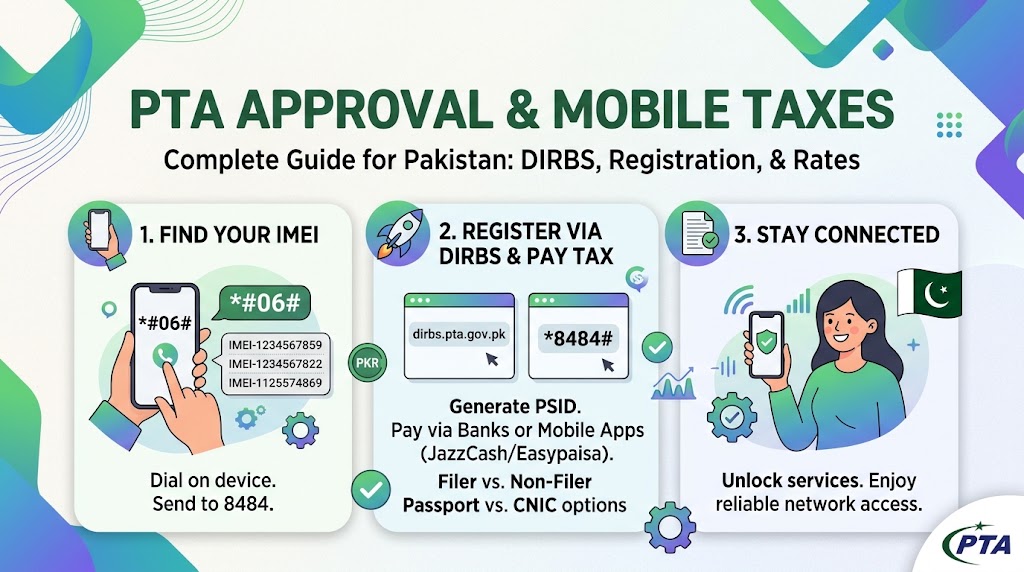
If you are buying a imported smartphone, traveling back home as an overseas Pakistani, or receiving a phone from abroad, understanding PTA approval and mobile taxes in Pakistan is essential. Under the Pakistan Telecommunication Authority (PTA) regulations, any mobile phone operating on local cellular networks must be registered through the Device Identification Registration and Blocking System (DIRBS).
Failure to register an imported device within 60 days of inserting a local SIM card results in cellular service suspension on local networks.
What is PTA Approval and Why is It Required?
PTA approval is the official authorization process that verifies whether a mobile device complies with local telecommunication standards and import tax requirements. The Federal Board of Revenue (FBR) collects taxes on imported devices based on their C&F (Cost & Freight) value in USD.
Once taxes are paid and processed via DIRBS, the phone’s unique IMEI number is marked as “Compliant” on PTA’s database, allowing seamless connectivity with network providers like Jazz, Zong, Telenor, and Ufone.
Breakdown of Mobile Taxes in Pakistan
The tax you pay to get a mobile phone PTA-approved is not a single flat fee. It consists of multiple federal tax components assessed by the FBR:
- Regulatory Duty (RD): A fixed tier-based tax depending on the device’s valuation slab.
- Sales Tax: A percentage-based tax applied under the Sales Tax Act. This varies according to the device value band and moves with foreign exchange fluctuations.
- Withholding / Income Tax: Advance income tax collected during registration (Section 148). Filer status on the Active Taxpayer List (ATL) can lower this component compared to non-filers.
- Registration Route (CNIC vs. Passport): Registering via an international passport (within entry travel windows) typically results in lower duty rates compared to standard CNIC registration.
How to Check Your Phone’s PTA Approval Status
Before purchasing a used or imported phone, always verify its PTA compliance. You can check the status in three simple steps:
- Find Your IMEI: Dial
*#06#on your device to display its 15-digit IMEI number. For dual-SIM phones, record both IMEI 1 and IMEI 2. - Send via SMS: Text the 15-digit IMEI to 8484 from any local SIM.
- Check Web Portal: Visit the official portal at
dirbs.pta.gov.pkor use the PTA DVS Mobile App to run an instant verification.
Step-by-Step Guide to Register Your Phone and Pay PTA Tax
If your phone status shows “Non-Compliant,” follow this process to complete registration:
Step 1: Generate a PSID Code
- Dial
*8484#from any Pakistani mobile connection or log into the web portal atdirbs.pta.gov.pk. - Select Mobile Device Registration.
- Choose your category (Passport or CNIC holder) and enter your details along with your device’s IMEI number(s).
- The system will calculate your exact tax and generate a 17-digit PSID (Payment Slip ID).
Step 2: Pay the Tax
You can settle your PSID through multiple channels:
- Mobile Banking Apps: Select Government Payments / FBR Duties and enter your 17-digit PSID.
- Mobile Wallets: Pay directly via JazzCash or Easypaisa apps.
- ATM / OTC Bank Branches: Settle at major commercial banks across Pakistan.
Once payment is confirmed, service restoration on your device usually takes between 2 to 24 hours.